Rogue Squadron 3D is my very first Star Wars game. I’ve played countless hours trying to get all gold medals in every mission in the past, today I’ve gotten them in under 7 hours.
I’ve played this game.
During the “May the 4th be with you” Steam sale I decided it was time to get it. But it’s an old game.
Prerequisites
First of all you’ll need Windows and then you’ll need nGlide. We will not be using DirectX since we want to achieve 1080p (even though we’ll have that 4:3 aspect ratio).
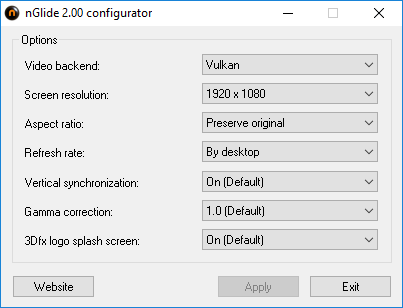
Once it is installed you’ll want to open the nGlide configuration to set up the game for your resolution:
My main screen is 1080p, but I’ll want to preserve the original aspect ratio. I’ve set the refreshed rate to the desktop, if you get weird issues you can try locking it to 60FPS.
Vertical synchronization might be required.
Do not forget to apply the settings.
Forcing nGlide
The game will now need to use nGlide, to do so we need to set it in the launcher and then in the registry.
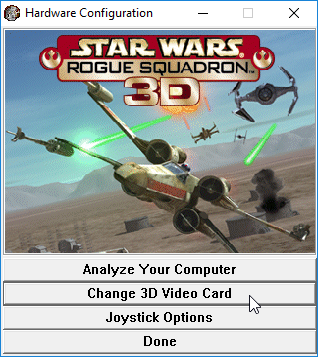
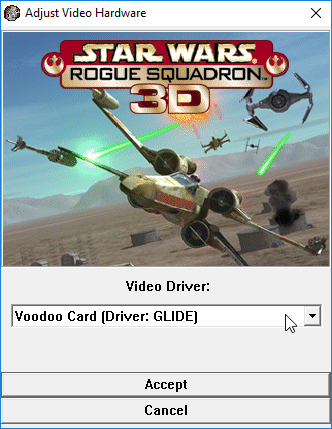
Click “Hardware Configuration” then “Change 3D Video Card”. You’ll be prompted to select a video driver, select “Voodoo Card (Driver: GLIDE)” then apply.
Close the launcher once everything is set.
Click “Hardware Configuration”
Click “Change 3D Video Card”
Select “Voodoo Card (Driver: GLIDE)”
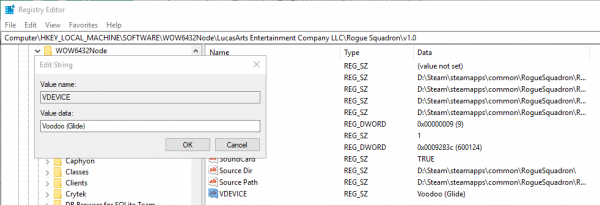
Run regedit by opening the Start menu, the navigate to right key:
Computer\HKEY_LOCAL_MACHINE\SOFTWARE\WOW6432Node\LucasArts Entertainment Company LLC\Rogue Squadron\v1.0
Here we’ll have to create a String value called VDEVICE and set with the value:
Voodoo (Glide)
This will force the game to use nGlide.
Conclusion
The game will now play in 1080p and your windows will not longer be moved due to the resolution change. But there’s sadly no way to play it in windowed mode and leaving the focus might crash the game.
If you wish to try playing in windowed mode just hit ALT + Enter.
This is the only game of the Rogue Squadron series you can play on PC natively and it’s a shame since Rogue Leader is clearly a very good game too, Rebel Strike on the other hand has some issues.
Disqus does a better job than the standard system for comments on this blogs, I’ve reverted the changed to use Disqus to avoid having to remove potential spam from the spam box.
“Motivation”
I don’t really know what this word means but I’m pretty sure it’s not food.
I have written any new posts in a while, I don’t feel like I have time for that.
There are a couple of subjects I might write on.
I’ll get around to some of these and I’ll probably pass on others.
Food deliveries
I fell into the trap of a free trial for food delivery and it’s too convenient for my own good.
The game has been release for PC, XBox One, Nintendo Switch and will be available on Playstation 4. I’m running the PC version and have purchased the game on Steam.
Gameplay
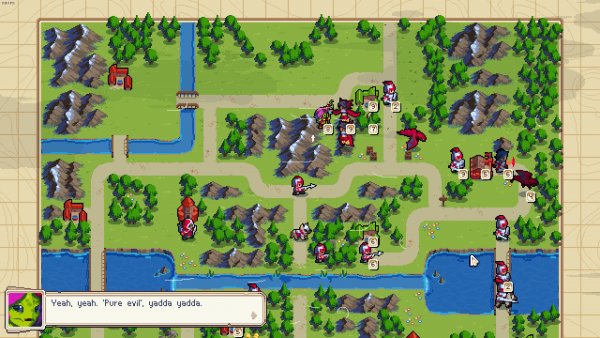
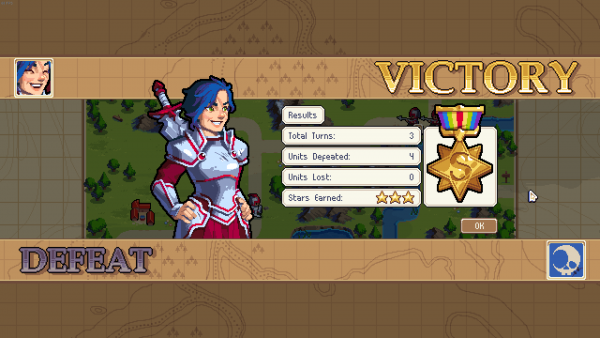
Are you familiar with Advance Wars? This game works in the same way but let’s not be lazy and let’s elaborate on that.
This is a turn based strategy game where you control units and building, you have a base and/or a commander and you must not lose either of them.
There are villages you can capture to increase your income. With your income you will craft units in barracks.
The game features a campaign, an arcade mode, a puzzle mode and multiplayer with crossplay. The game also features a built-in map and campaign editor.
Full mouse, keyboard and controller support is available. There are also accessibility settings for color blindness. So much care has been put in the game.
The “Groove”
Each commander has an ultimate move called the “groove”. For example this move heals Mercia and all surrounding units by 50% when used, or Valder can summon a skeleton from the dead.
These moves can make quite the difference but are not necessarily game changers, unlike ultimates in Overwatch for example.
Difficulty curve
The tutorial does a great job explaining where to get information and how to advance but most of the work will be done by the player and it’s a challenging game. I have yet to get 3 stars in a mission that is not a tutorial during the campaign while playing on the normal difficulty. I am not a smart person maybe.
No need to be smart to have fun.
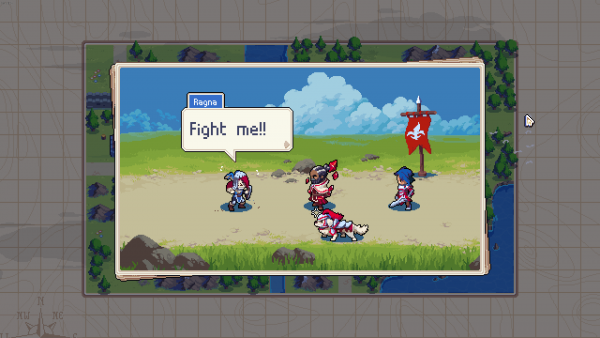
“Ragna challenged you to a battle!”
Special thanks
I would like to personaly thank Chucklefish for bringing this game on multiple platforms and not making it exclusive to any store and also because of crossplay enabling games from everywhere, with every kind of hardware, to connect and play together.
Thank you for making Wargroove the way it is.
Conclusion
I’m not very good but I’m willing to learn from my mistakes. The game looks good and I do enjoy it very much.
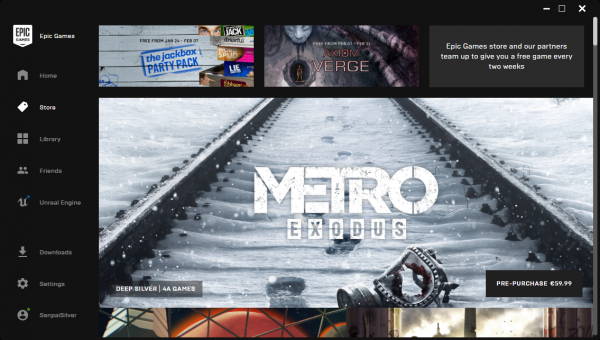
Metro Exodus, part of the Metro series, was up for preorder on Steam. But then it was taken down because Epic slapped lightly Deep Silver with dollars bills. While the early preorder will be honored this is bad for PC gaming as a whole.
Exclusivity is not competition
When the Epic Games store had been announced they promised a much bigger share of the sales to the developers and even promoted exclusivity deals.
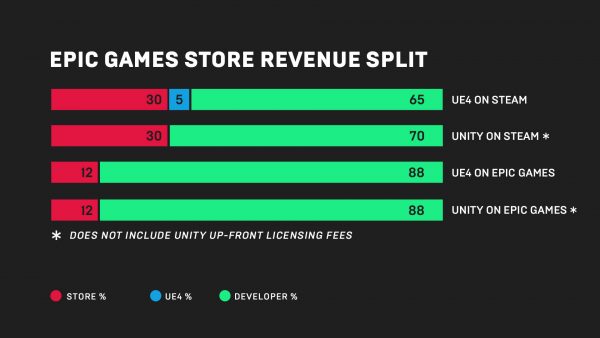
Painting Steam as the bad guy with 30+5% are we?
Being able to earn 88% of a sale instead of 70% is good for the developer, especially the one that wants to maximize its revenue for less sales. But is it consumer friendly ? It’s not when it can’t be bought everywhere.
This exclusivity is unfair and unhealthy to the PC gaming community.
Metro Exodus
The Epic Games store has the advantage of giving a larger share of each sale to the developers/publishers than Steam, this is good for developers, but making the game available on Steam and then pulling out for a one year exclusivity deal is unfair to players who have preordered and to those who were planning on buying it.
While I’m not concerned about spoilers and I actually have my own opinion about the value of spoilers and how I experience media, I can wholeheartedly say that I will not care about a game striking an exclusivity deal like that.
I made the decision to protest this by not getting the game (legally or not) and I will probably not even bother once it’s out on Steam.
The Steam store page currently has a notice posted:
Notice: Sales of Metro Exodus have been discontinued on Steam due to a publisher decision to make the game exclusive to another PC store.
The developer and publisher have assured us that all prior sales of the game on Steam will be fulfilled on Steam, and Steam owners will be able to access the game and any future updates or DLC through Steam.
We think the decision to remove the game is unfair to Steam customers, especially after a long pre-sale period. We apologize to Steam customers that were expecting it to be available for sale through the February 15th release date, but we were only recently informed of the decision and given limited time to let everyone know.
Source: Steam store page
Even Mike Ybarra, XBox Vice President, has something to say about it:
What a time to be alive. Is this how this great platform ends?
Steam isn’t getting killed, it’s actually not even dying, but PC gaming is hurting.
We already knew for The Division 2 being exclusive to Epic, but having Metro Exodus advertised on Steam during a long preorder period and then making it unavailable for purchase for a whole year is scummy at best.
Time to vote
It’s time to vote with our wallets.
I will personally not stand for this. Games that will be exclusive (or even time exclusive) will not get my attention. I take pride in my Steam library.
GOG and Steam are both much more consumer friendly than what is Epic now, and even when Epic will become friendlier I will still not support it. The only thing I might use the launcher for is the engine since I’ve always wanted to try making some games, but I’m still quite turned off.
The Epic Games Store
While it can sell games and microtransations for Fortnite it lacks forums, players are encourages to go to the Steam forums for interaction. It also lacks groups, wishlists, user profiles, user reviews and Linux support.
We have seen recently that user reviews have been used to review bomb, or protest, the lack of user reviews hurts consumers. When a bad or broken game comes out we can usually get an idea about what it’s like with user review in the store but this isn’t the case here.
While we could search for reviews on YouTube or on any famous gaming news website, there’s no guarantee you will get the whole picture and avoid spoilers (if you care about that), unlike store reviews that can be moderated and voted as useful.
Epic will most certainly not offer any better DRM than Denuevo.
GOG and Origin
GOG and Origin are currently the two other stores that work pretty well.
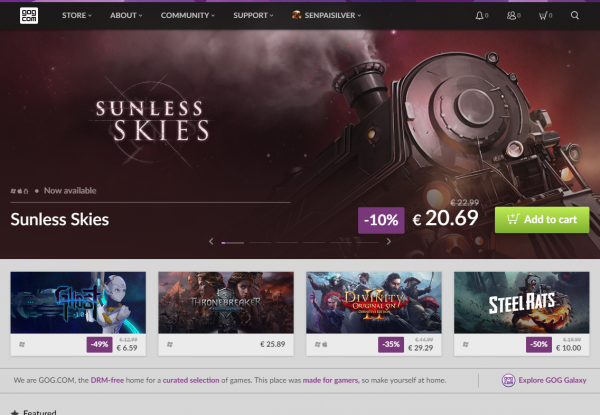
GOG is great for having DRM free games and older games adapted to run on modern systems. They have a few first party games with the Witcher series and will be getting Cyberpunk 2077 (hopefully not a timed exclusive).
They have a service used to add games to your GOG account depending on the games you own on Steam: GOG Connect.
Let’s give credit where it’s due, EA has many first party games to build their store with exclusives such as Star Wars, FIFA, Battlefield, Dragon Age and many more. They are not poaching any other stores (at the time of writing). While exclusives are still bad they still produce many first party games.
“Sorry, we only serve DRM-less games here.”
Conclusion
Epic Games doesn’t have the perfect record they should have, for a couple of months prior to this post, I’ve been receiving emails about failed login attempts and the recent account theft vulnerability triggers some many red flags when launching their own store that I have no interest in giving it a try.
I’ve invested time and money into Steam and I’m happy about it.
I’m sad to see PC gaming becoming like console, where we all run x86_64 code but not the same software. They would be a great competitor if they were not aggressively pushing exclusivity like that. You can read more here:
I’m currently doing so much Bash scripting that I always end up googling the stuff I should know by now so it’s time for me to write it all down once and for all.
Looping through a text file
Sometimes you build up a list that you want to process, let’s say you want to wget a few URLs.
for read line; do
  wget "${line}"
done < ./urls.txt
It’s obviously a good idea to validate inputs but for the sake of this post it’s not necessary.
Redirecting STDERR
Redirecting to a file and just redirecting to STDOUT can be done two ways. I always forget the syntax so it’s always good to be reminded of it.
# STDERR to STDOUT
curl "${URL}" 2>&1

# STDERR and STDOUT to file
curl "${URL}" &> ./out.log
EOF syntax
In case you want to forward a multi-line string to a variable you can invoke cat with the EOF syntax:
cat <<EOF
Hello World!
Why So Serious?
EOF
The syntax can actually be a bit tricky since you define on the first line the keyword that will end the multi-line string, in this case EOF.
Mounting a RAM disk
RAM disks are quick and ideal if you need a fast scratch disk, they can be mounted to any folders just like any other kind of device:
mkdir /mnt/ram
mount -t tmpfs tmpfs /mnt/ram -o size=4096M
You can now read and write on your RAM disk through /mnt/ram.
SSH tunnel
When you want to access services that are not available outside of a network you can open an SSH tunnel, which is like a VPN but not totally.
ssh -L 13306:127.0.0.1:3306 user@example.com
Here we bind the local port 13306 to the remote port 3306 through our localhost, we can then access a remote MySQL server through the SSH folder since there’s not good reason to have a MySQL server open to access on the internet.
Let’s manage ou MySQL server now:
mysql -h 127.0.0.1 -P 13306
Keep in mind that even though you can use this SSH command to proxy your network traffic, you will most certainly not achieve better performances than a standard VPN or OpenVPN setup.
Super Smash Bros. Ultimate has been released on December 7th 2018 and boy it’s good. The last game I’ve played was the 3DS version, it was fine and ran pretty nicely for the hardware.
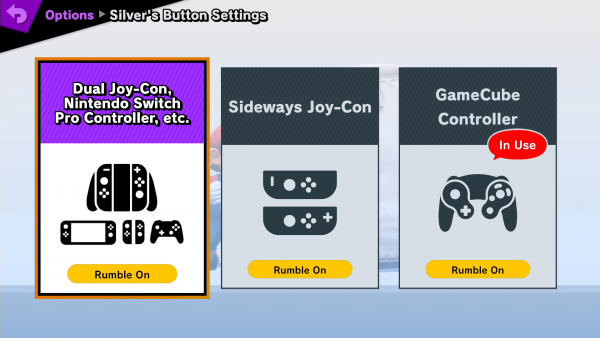
I’ve purchased the collector edition with the GameCube gamepad and the adapter.
The game
As announced the character list is massive with over 70 characters in the base game and only the original roster unlocked on a fresh save, there are many characters to unlock and to fight with and against.
The menu is what you would expect since Brawl, you’ve got the main modes which are classic and versus, and you’ve got the adventure mode, World of Light.
Versus and classic are basically the same, with classic replacing bosses depending on the character you are playing.
World of light is the new adventure mode where you will be able to literally go on an adventure, more to follow below.
“Will it hurt?”
Performance
With the lowspec hardware of the Switch, one would expect that great engineering went into optimizing the game. It feels as smooth as it gets and look very nice while not dropping enough frames to notice.
There doesn’t seem to be more input lag than on the previous entries from what I’m used to with the GameCube controller.
Victory!
Controls
Being used to the feeling of the XBox 360 gamepad and the Joycons, I’ve rediscovered the Gamecube controller and have battled with it a bit. The good thing about the controls is that they are the same since melee, the bad thing is that we need the adapter which requires being in docked mode or a hub.
Adventure: World of Light
The trailer does a pretty good job showcasing the adventure. You start with only Kirby and you’ll smash your way through to awaken your allies in the quest to take down Galeem.
The adventure lasts at least 20 hours and has a couple of different challenge based around fighting. This isn’t the adventure of Melee.
When you win a fight you will earn a spirit that can be used to set certain skills on your fighter and buff his attack and defense.
Online versus
As experienced with Super Smash Bros 3DS the online experience will be different for everyone and against everyone. You can feel even the slightest lag and the game doesn’t seems to have proper matchmaking at the time of writing.
The experience can be really bad if you are stuck in a fight that is lagging so much that in game time is slower than real world time. No one wants to have a minute extented to 5.
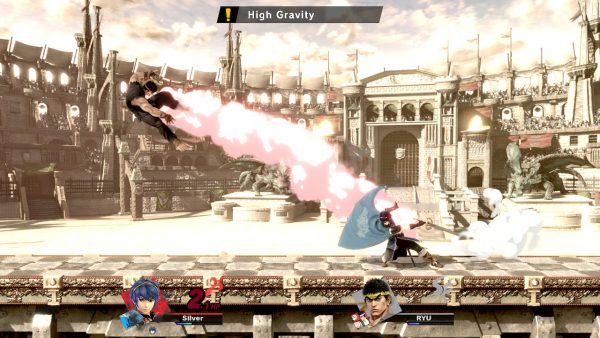
As an example here are two fights that provide two different experiences. The first fight is a laggy fight, not really fun but it gives you time to see what you did wrong.
The second fight is what you should expect, performance wise, of a good and faire fight.
On the bright side of things you can have pretty good fights when everything goes well.
Conclusion
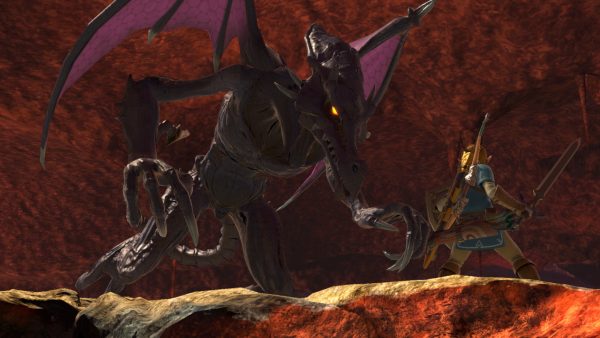
This game is fun. While I’m not very good I have enjoyed the adventure more than expected and I was surprised. The new characters feel really polished and I’ll be playing Ridley more seriously.
The changes to the already existing fighters are good, Link feels much more interesting to fight with his new bombs.
This is my follow up to getting started with FFmpeg. I strongly recommend getting to know the tool better in my previous post about it.
Concatenate
Multiple clips can be merged together with the concat demuxer. The idea is to create a text file with a list of files to concatenate together (in order), the format is as follows:
# List of files in order
file './file1.mp4'
file './file2.mp4'
file './file3.mp4'
For the lazy people like me it’s possible to use shell scripting to generate this list:
for f in ./*.mp4; do
  echo "file '$f'" >> list.txt
done
Then you need to feed the file as an input and specify the format (-f) as concat:
ffmpeg -f concat -i list.txt -c copy output.mp4
The wiki page speaks more in detail about this feature.
Extracting the frames
It is quite simple to extract all the frames from a video as pictures.
ffmpeg -i input.mp4 frame_%03d.png
In this command we extract every frame from input.mp4 as PNG pictures. We use the printf format for the numbering of the frame (we pad with 0 the %d for 3 characters).
It’s possible to use the parameters for the start and length of the clip to extract part of the frames or just simply limit number of frames to extract with -vframes. We can also specify a different framerate to work with during this process with -vf fps=1.
Hardware acceleration encoding
For maximum speed it is possible to use a hardware encoder for H264, I will only cover how to do this with an NVidia GPU (NVENC).
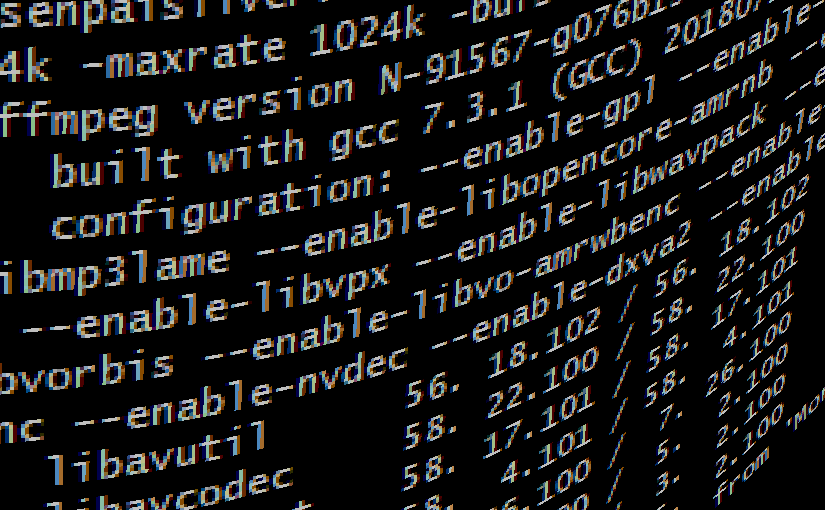
First check that FFmpeg has not been configured with --disable-nvenc, this will appear in the banner when running FFmpeg if NVENC is disabled.
This looks exactly as encoding, except the codec on line 2 is different, it has _nvenc appended to it. This is really simple and will boost the encoding drastically.
Reading more
Please check out the following pages if you wish to know more:
Visual Studio Code is great customizable editor for Windows that is actually quite light compared to Visual Studio. It has support for multiple languages and SCM like Git.
But it has a major drawback, at least on Windows… It sets core.filemode to true in Git repositories. That’s bad because you might commit all the files that were not changed with the files that were changed because it sets the execution bit to true.
What is core.filemode?
Git tracks changes in files, even permissions. The setting core.filemode tells Git to track the file’s execution bit from its permissions. This can really mess up versioning.
Solution
You can either globally set core.filemode to false or set it on the current repository with the following command:
Just to be sure I prefer to set it everytime I create a repository and I’ll be using Visual Studio Code.
Update: 2021-02-27
It appears that the PowerShell might ignore the .gitconfig from my home folder too, I’d need to investigate that further to verify this but the short version is: on Windows core.filemode might be set to true by default, so check your repository settings.